
Guide to LG MAGIC Remote Controls

The Magic World of LG: Guide to Magic Remote Controls for webOS (2015–2025)
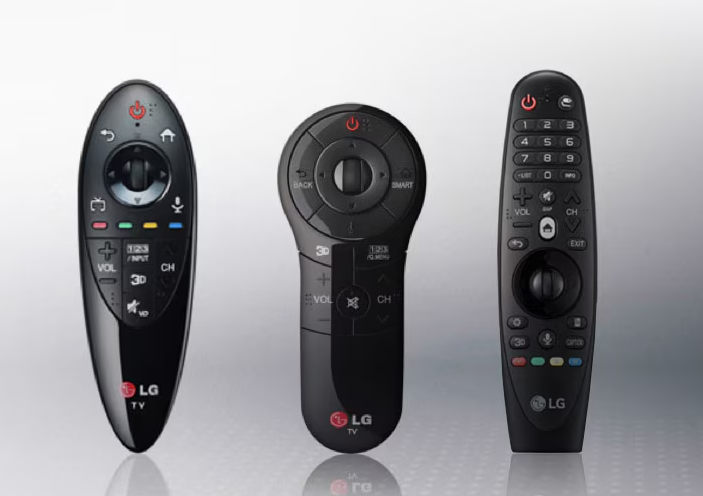
Do you have an LG smart TV at home, but you're tired of using a standard remote control? Or has your original one stopped working? At www.ovladac.tv, we know that without the "magic" cursor, the webOS experience is only half as good. Let's take a look at how these remotes have evolved and which one exactly you need for your TV.
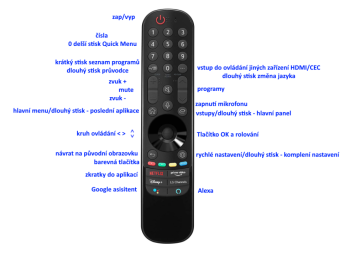
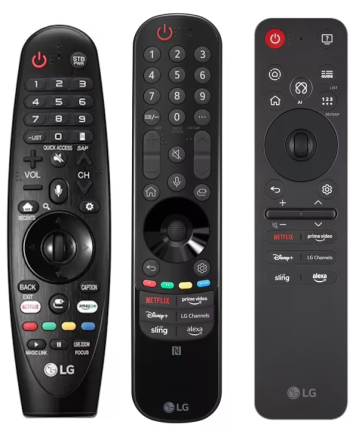
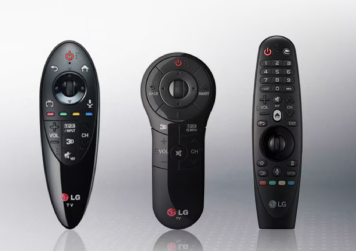
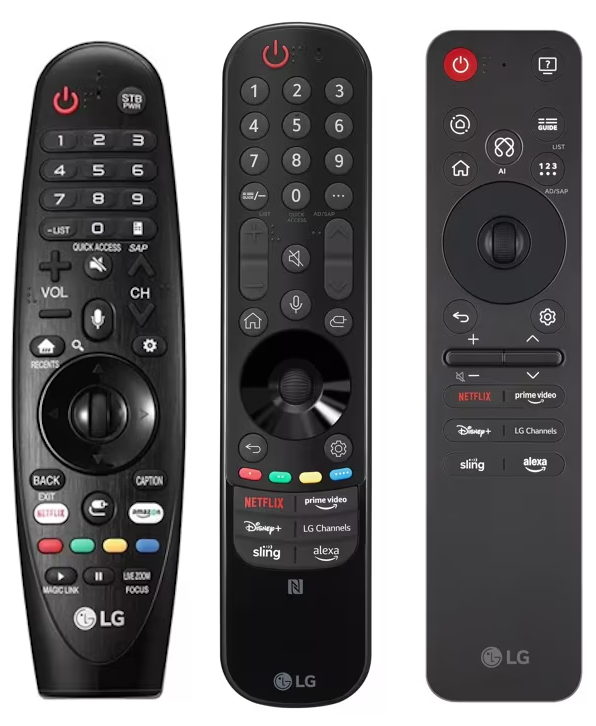
Design evolution: From the "Pear" to slim elegance LG Magic Remote controls have undergone a major transformation over the past decade. While the first models relied on bulky ergonomics, the latest ones are a symbol of minimalism and smart features like NFC.
Model overview and compatibility: Which one is yours?
With LG, a golden rule applies: A remote control from a newer model year will usually handle the functions of an older TV, but you won't be able to get an old remote working on a new TV.
| Model ovladače | Rok výroby TV | Kompatibilní modelové řady TV |
| AN-MR600 | 2015 | LF63, UF77, UF85, UF95, OLED EG91/92/96 |
| AN-MR650 | 2016 | UH61, UH66, UH75, UH85, UH95, OLED B6/C6/E6 |
| AN-MR650A | 2017 | UJ63, UJ67, UJ75, SJ80, SJ81, SJ85, OLED B7/C7/E7 |
| AN-MR18BA | 2018 | UK61, UK63, UK65, SK80, SK81, SK95, OLED B8/C8/E8 |
| AN-MR19BA | 2019 | UM71, UM74, UM76, SM82, SM85, SM90, OLED B9/C9/E9 |
| AN-MR20GA | 2020 | UN71, UN73, UN80, UN81, NANO79-91, OLED BX/CX/GX |
| MR21GA / GN | 2021 | UP75, UP77, UP80, NANO75-99, OLED A1/B1/C1/G1 |
| MR22GA / GN | 2022 | UQ75, UQ80, UQ91, QNED81-99, OLED A2/B2/C2/G2 |
| MR23GN | 2023 | UR73, UR78, UR81, QNED75-99, OLED A3/B3/C3/G3 |
| MR24GN | 2024 | UT73, UT80, UT91, QNED80-99, OLED B4/C4/G4 |
| MR25GA | 2025 | UA77, QNED80-92, OLED B5/C5/G5 |
👉 [Click here and find your remote control by your TV's model number]
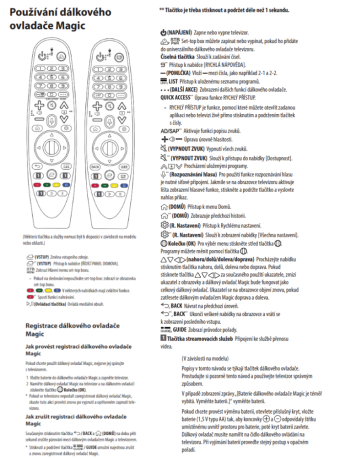
How to pair successfully (Step by step):
-
Turn on the TV: Using the remote (Power button) or directly on the TV.
-
Aim and press: Point the remote control at the centre of the screen and press the wheel (OK).
-
Done: If a registration message appears, you're all set.
-
Not working? Try a Reset: Hold down the BACK and HOME buttons simultaneously for 5 seconds. The indicator light on the remote will flash – this is a sign that the memory is clear and you can try pairing again.
Why buy from www.ovladac.tv? We are a specialised e-shop that doesn't just sell "boxes with buttons". We sell convenience.
-
Verified compatibility: We test every piece so we know that even a more modern replacement will fit your 2019 TV.
-
Express delivery: We know that changing channels with the button on the side of the TV in 2026 is a punishment. That's why we dispatch immediately.
-
Support for everyone: If you're not sure whether your TV supports the MR25 model, just drop us a line.
👉 [Need a new "magic" wand for your LG? Check out our current range of LG Magic remotes!]