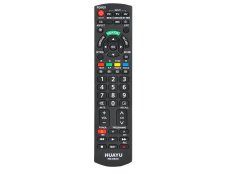

Remote control for seniors, juniors, hotels or hospitals. For brands LG, Panasonic, Philips, Sony, Samsung. LG

Universal remote control with large buttons for seniors. No codes needed, instant operation. Compatible with LG, Panasonic, Philips, Samsung, Sony TV More
This universal replacement remote control for seniors is specially designed for all Panasonic TVs. The remote features a self-learning function that allows you to program additional commands from your original remote control.
Compatible with models such as:
All flat-screen Panasonic TVs available on the market
Key features
-
Large, easy-to-read buttons – perfect for seniors and children
-
No code needed – ready to use after inserting batteries
-
Self-learning function – allows programming of custom commands
-
Suitable for hotels, hospitals, and home use
-
Basic functions: power on/off, input selection, numeric keypad, mute, menu
-
Volume control, INFO button, navigation arrows, OK button
-
Can be reset to factory settings
-
Compatible with all flat-screen Panasonic TVs
How to program additional commands from your original remote
-
Place both remotes facing each other with IR transmitters about 5 cm apart
-
Press and hold OK and MUTE on the senior remote for 3 seconds – LED turns on
-
Press the button you want to program (e.g., MENU) – LED starts flashing
-
Press the corresponding button on the original remote – if received, LED stays on
-
Repeat steps 3 and 4 for all buttons you want to program
-
To finish programming, press POWER
-
To reset to factory settings, press and hold OK and MENU for 3 seconds – LED will flash